Grid - Column Customizations
Most grids in application are developed for user customizations in mind.
Column Chooser
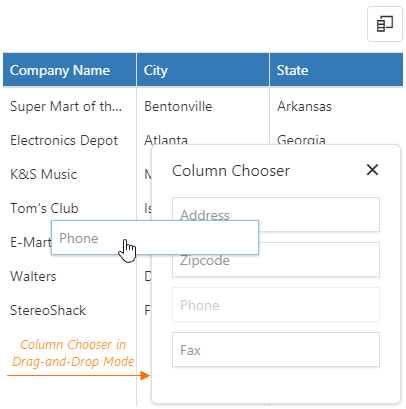
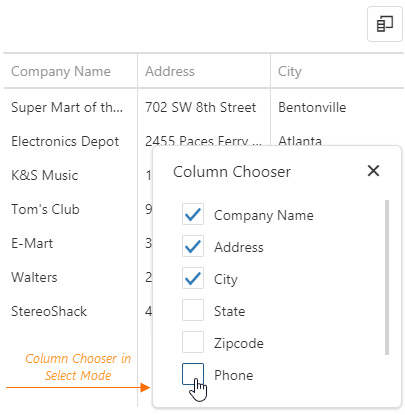
User can decide which column should be visible inside grid (and which not). Column chooser is possible to operate in two modes - Drag’n’Drop and Select
| Drag’n’Drop mode | Select mode |
|---|---|
 |  |
Column chooser button is located at upper-right corner of grid and has the following icon:

Column Reordering
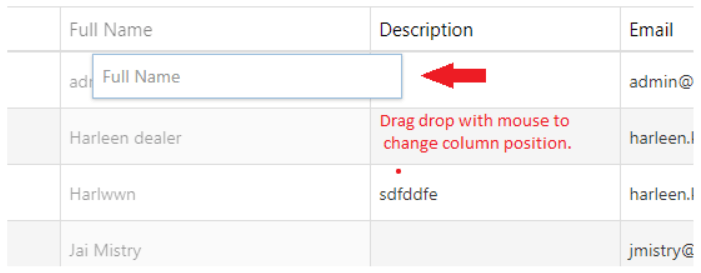
Column reordering is enabled on grids and it’s available with drag’n’drop functionality when dragging column header.
Column resizing
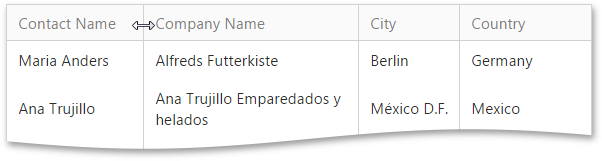
Column resizing is enabled on grids across all application.