Chart - Export & Print Options
Regardless of chart visual type (bar chart, line chart,…), the export and print options are the same.
Export and Print options are available at the upper-right corner of chart when clicking button with three horizontal lines (as shown on the picture below):
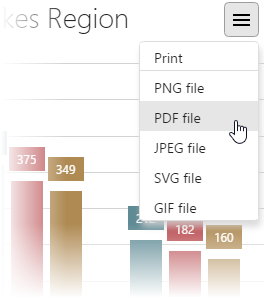
Supported export file types are: PNG, PDF, JPEG, SVG and GIF
When printing option is selected, standard printing window dialog of operating systems is opened.
When file export option is selected (regardless of file type), standard file saving windows dialog of operating systems is opened.